DrumDash - Learn Drums Online
The Ultimate Customizable Drumming Game for All Skill Levels
Learn drums by playing your favorite music. Import any song, play with AI-generated difficulty levels, and practice at your own pace.
Key Features
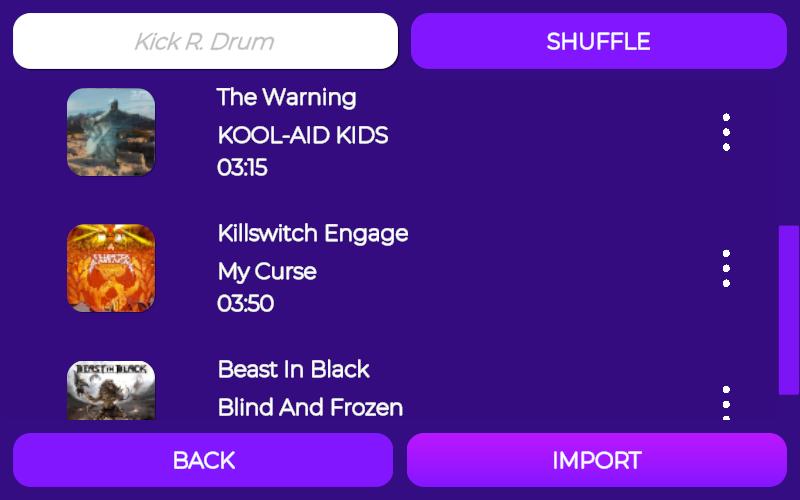
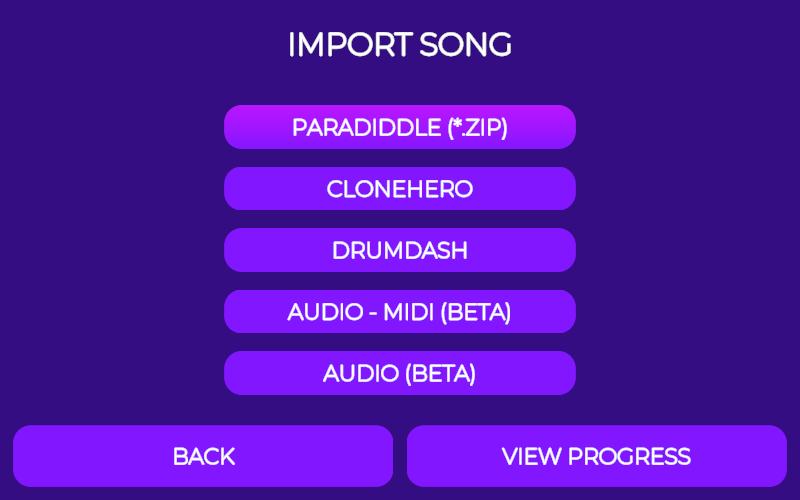
- Import Any Song: MIDI files, audio files (MP3, WAV, OGG), or choose from preloaded tracks
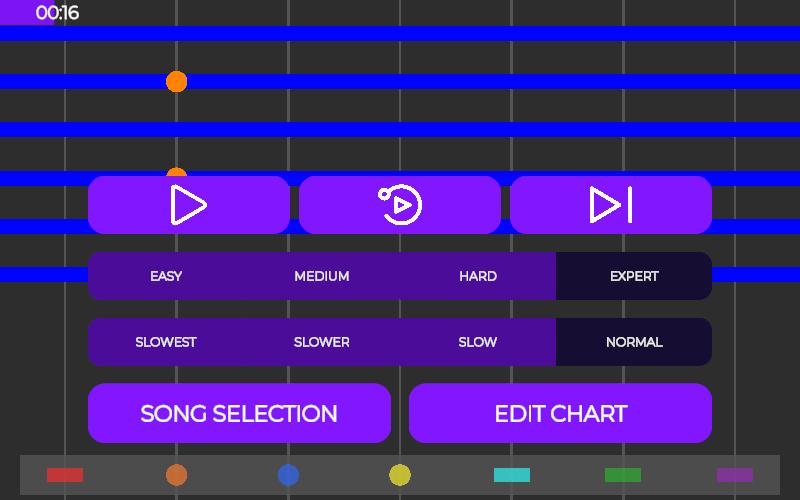
- AI-Generated Difficulties: Easy, Normal, Hard, and Expert levels tailored to each song
- Play Your Way: Use on-screen pads, electronic drums, MIDI controllers, or your real drum kit
- Flexible Modes: Full audio, drumless playback, click track, or isolated drums
- Track Progress: Accuracy scoring, consistency analysis, and achievement badges
- Cross-Platform: Web browser, Android app, and progress syncs across devices
Perfect for Every Drummer
Beginners: Start with easy difficulty and songs you know. Build rhythm and coordination naturally.
Intermediate Players: Challenge yourself with harder difficulties and develop technique through variety.
Advanced Drummers: Master expert charts and use DrumDash to learn new songs quickly for performances.
Getting Started
- Play directly in your browser - no installation needed
- Import a song or pick from preloaded tracks
- Choose your difficulty level and start playing
📱 Available on Mobile
Download the full-featured Android app and practice anywhere.
Start Your Drumming Journey Today! Whether you want to learn drums, prepare for performances, or simply enjoy the joy of playing music, DrumDash helps you master the drums on your terms.
Frequently Asked Questions
DrumDash supports multiple audio formats for maximum flexibility. You can import MIDI files, MP3 audio, WAV, and OGG files directly into the game. Simply use the "Import" button on the home screen, select your file, and DrumDash will automatically process it. Our AI engine analyzes the song structure and generates difficulty-appropriate drum charts within seconds. The imported songs are stored locally on your device, so you can play them anytime without needing an internet connection.
Our proprietary AI technology analyzes your imported song's tempo, beat pattern, and musical structure to create four unique difficulty levels: Easy, Normal, Hard, and Expert. Each level is designed with progressive complexity to help you improve gradually.
- Easy: Focuses on basic beat patterns and timing fundamentals
- Normal: Introduces more complex fills and dynamics matching the actual song
- Hard: Challenges with advanced techniques and off-beat patterns
- Expert: Master-level charts with intricate fills and polyrhythmic sections
The AI learns from millions of drum patterns to ensure each generated chart is musically authentic and playable.
DrumDash works with most standard MIDI-compatible devices. This includes:
- Electronic drum kits (Roland, Yamaha, Alesis, etc.)
- MIDI drum pads and controllers
- Acoustic drum kits with MIDI triggers
- USB MIDI keyboards configured for percussion
- Computer microphones for acoustic drum detection (on supported devices)
For best performance, we recommend connecting your device via USB or wireless 5GHz connection (not 2.4GHz, which may introduce latency). You can also use the on-screen virtual pads with your mouse or keyboard if a controller isn't available.
DrumDash's scoring system evaluates multiple aspects of your drumming performance, not just hits and misses. Your accuracy is calculated based on:
- Hit Timing: How close to the beat you strike (±50ms window)
- Dynamics: Velocity variation across hits (realistic dynamics matter)
- Consistency: How evenly you maintain groove throughout the song
- Double Hits: Correct identification of single vs. double strokes
- Fills Execution: Accuracy on complex fill patterns
Scores range from 0-100%, and you earn achievement badges at 75%, 90%, and 100% accuracy to recognize your progress.
Yes! DrumDash is available as both a web app and a native Android application. The web version runs in any mobile browser (Chrome, Firefox, Safari, Edge) and automatically adapts to your screen size. The dedicated Android app offers improved performance and direct access to your device's MIDI connectivity.
For the best mobile experience, we recommend landscape orientation for a larger playing surface. The game automatically detects your device's screen size and adjusts the pad layout accordingly. You can even use a mobile-compatible MIDI controller or Bluetooth drum pad with your phone.
Download the full-featured Android app from Google Play for the most optimized experience, or play directly in your mobile browser without any installation.
Absolutely! If you're using the Android app, your progress is automatically saved to the cloud when you log in with your account. This means you can play on your phone, tablet, or computer and see your achievements, high scores, and song progress across all devices.
Your progression data includes: high scores, accuracy records, songs played, and achievement badges. The sync happens automatically, so there's no manual setup required. If you're using only the web version, your data is stored locally on that browser.
DrumDash offers multiple playback modes to suit different learning styles and preferences:
- Full Audio: Complete song with all instruments - play along naturally
- Drumless: Everything except drums - perfect for practicing your fills and grooves
- Click Track: Minimal accompaniment with just the beat click for timing practice
- Isolated Drums: Just the drum part (great for learning the original drummer's technique)
- Backing Track: Bass and harmonic elements without drums - ideal for band practice simulation
You can switch modes mid-song or use different modes on different attempts to focus on specific aspects of your playing.
Yes! DrumDash is specifically designed to be accessible for complete beginners while offering advanced features for experienced drummers. Here's why beginners love DrumDash:
- Easy Mode: Simplified patterns that focus on rhythm fundamentals and basic technique
- Songs You Know: Import your favorite songs and learn from music you're already familiar with
- Immediate Feedback: Real-time accuracy scoring helps you understand exactly what needs improvement
- Progressive Difficulty: Start easy and gradually work up to complex patterns as your skills develop
- No Equipment Needed: Use the on-screen pads with a mouse, keyboard, or touchscreen to start immediately
Many drummers find that learning with music they enjoy makes the learning process more engaging than traditional practice exercises.
Absolutely! Many professional and semi-professional drummers use DrumDash to prepare for band performances and session work. Here's how:
- Quick Learning: Learn new setlist songs in days instead of weeks
- Tempo Practice: Adjust playback speed to practice difficult sections slowly, then increase tempo
- Accuracy Tracking: Monitor your consistency and precision with detailed scoring data
- Isolated Practice: Use drumless mode to practice your parts independently
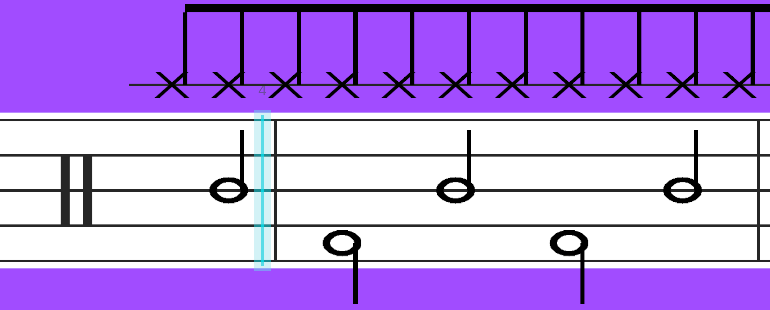
- Session Prep: Prepare for studio sessions and live gigs with authentic drum charts
The Expert difficulty level matches professional drum chart complexity, making it ideal for serious musicians preparing for real performances.
We love feedback! Our team actively responds to bug reports and feature requests from our community. You can contact us through:
- Email: [email protected]
- Contact form on our website
- Include as much detail as possible (device, OS version, exact issue, steps to reproduce)
We typically respond within 24-48 hours and prioritize bug fixes according to severity. Your feedback directly helps shape DrumDash's future development!